
Beats serial numbers
Beats Serial Number Check: Where to Find It and What It Proves
Where the serial is printed on Studio Pro, Solo 4, earbud cases and Pill, why earbuds show three, and what Apple's coverage check can and cannot prove.
Quick answer
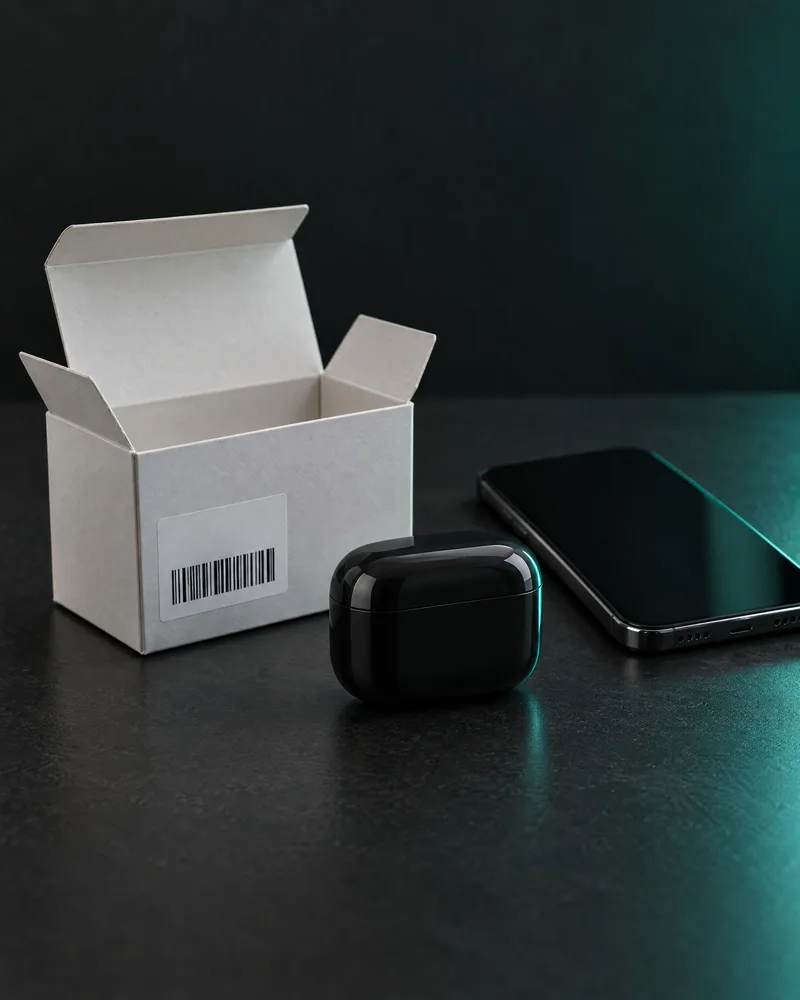
Apple and Beats publish no dedicated authenticity lookup. Apple's coverage check shows service coverage, and Apple does not call it an authenticity check. In iPhone Settings, tap your Beats' name and scroll to About. Studio Pro and Solo 4 print the serial on the slider above the right earcup, earbud sets on the charging case, and the Pill on its bottom. Matching numbers are consistent with genuine Beats, not proof.
A Beats serial number is for service, warranty and registration. Apple's support pages say where to find it, but none says what it proves. This guide shows where Apple says the number is on each model, why earbud sets have three, and what a mismatch can mean. It also explains what Apple's coverage check and Beats registration can and cannot tell you. We found no Apple or Beats source that explains the format of the serial, and no official decoder.
Can a serial number check prove your Beats are real?
No. Beats' FAQ says: "You can verify your Beats by registering its serial number." But on 3 November 2026 the registration form asked only for the serial, an email address and the email again. Apple describes its coverage system as a way to decide whether service is covered by the limited warranty or a plan such as AppleCare. Apple does not call it an authenticity check. The coverage page itself says it reviews eligibility for support and extended coverage.
Forum users report that serials get copied. A user on Apple's community forum wrote in May 2025 that no serial check proves a device is valid, because counterfeiters copy real serials. The same user said two fake AirPods can show the same number. A poster on the MacRumors Forums said in November 2023 that fake AirPods carry valid cloned serials that pass Apple's checker. Most of these reports concern AirPods, Apple's own earbuds. They still show why a valid number cannot prove a unit is genuine.
Use this rule. A valid serial that matches on the box, the product and your phone is consistent with genuine Beats. An invalid, mismatched or replaced result is a reason to look harder.
How to find your Beats serial number in Settings
The quickest place to read the serial is your phone or computer, with the Beats connected. The same screen shows the model name, the serial number and the firmware version.
Beats says its Android app needs Android 14 or later. If a printed number is too small to read, Apple suggests zooming in with the iPhone's Magnifier. Take a screenshot of the Settings screen. It is useful for your records, for a seller and for a review.
The steps on each device are:
- iPhone or iPad: connect the Beats, open Settings, tap the Beats name near the top, then scroll to About.
- Mac: open the Apple menu, choose System Settings, then click the Beats name in the sidebar.
- Android: add the Beats to the Beats app first. With the Beats connected, the serial is under "Under the Hood" on the device screen.
- Older Beats app for Android: open the menu, then My Beats, then scroll to "Under the Hood".
Where is the serial number printed on each Beats model?
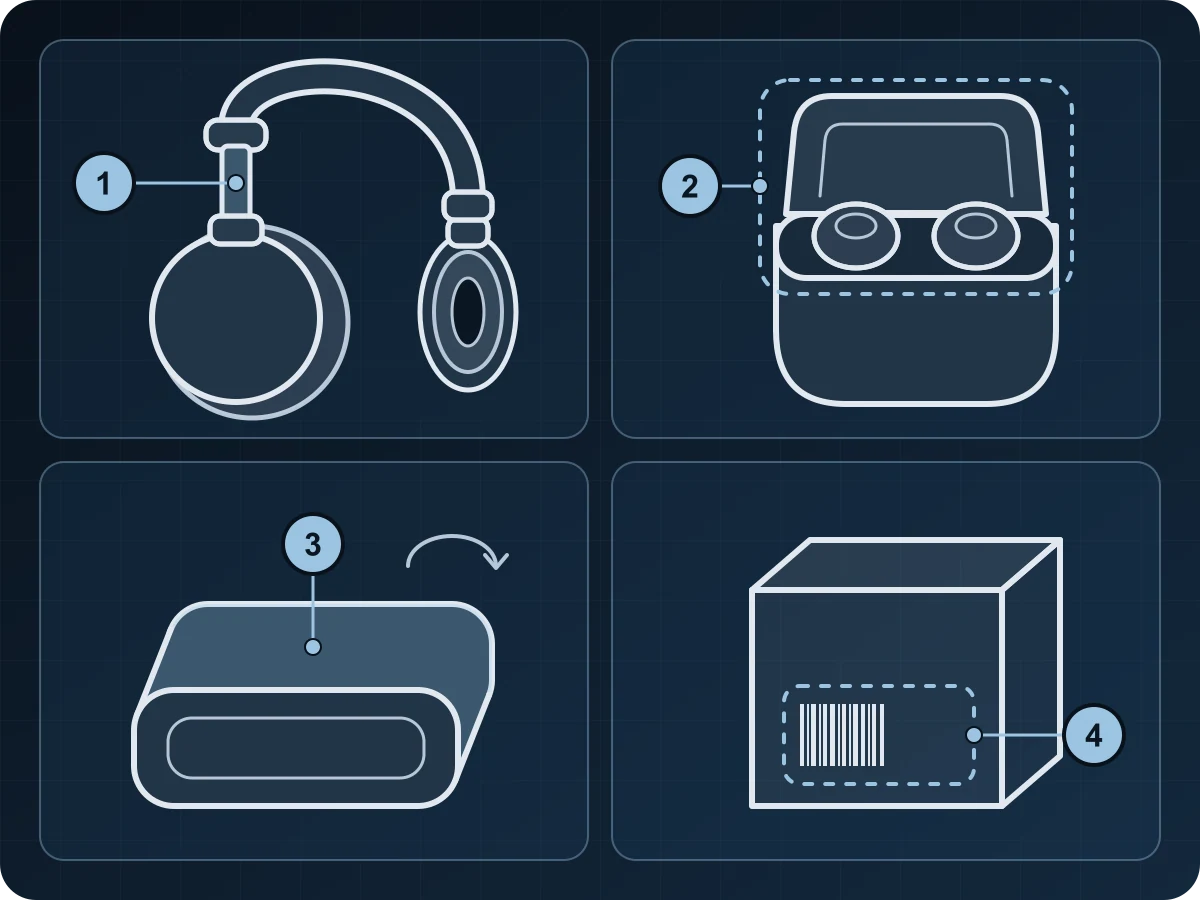
Apple's guide Find your Beats serial number says where the number is printed on each model, with a different spot for transparent Solo Buds and Studio Buds + cases. Every model also has the serial near the barcode on the original box, and on the original receipt or invoice. The table and diagram below show each spot.
Do not confuse the model name with the serial. iFixit, a community-written repair wiki, says the words Beats Studio Pro and Beats Solo 4 are printed inside the headband above the left earcup. It also says the Solo 4 has a 4 on the outer metal part of the band. That is the model name, not the serial. So a marking on the left side is not a warning sign by itself.
Read the printed number in good light, and photograph it straight on so every character is sharp.
| Model | Where the serial is printed |
|---|---|
| Beats Studio Pro and Beats Solo 4 | Expand the headband. It is on the slider above the right earcup. |
| Beats Fit Pro, Powerbeats Fit and Powerbeats Pro 2 | On the inside of the charging case |
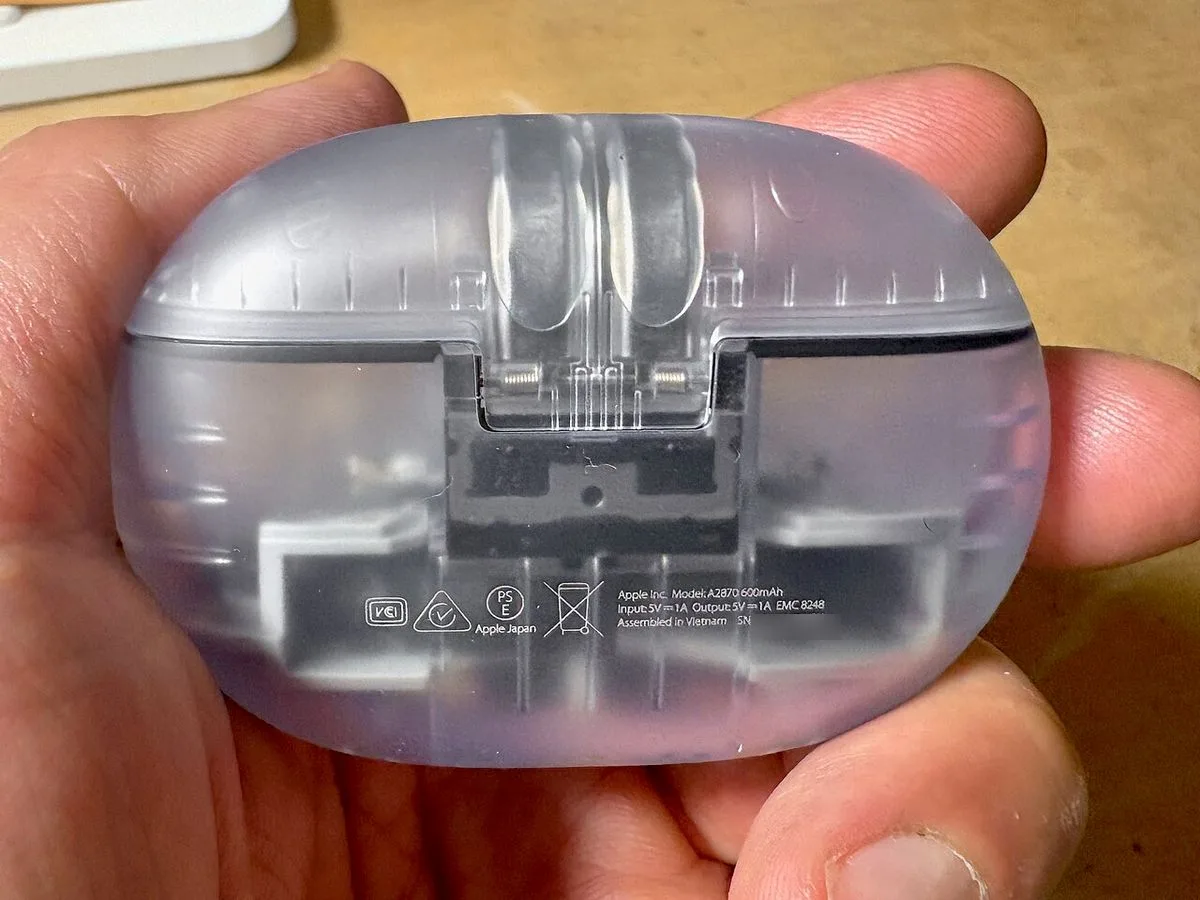
| Beats Solo Buds | Inside the charging case. On the transparent case, on the bottom. |
| Beats Studio Buds + | Inside the charging case. On the transparent case, on the back. |
| Beats Pill | On the bottom of the speaker |
| Beats Flex | On the right control module |
| Beats 360 (2026) | Remove the right ear cushion. It is on the frame below the right speaker. |
| Every model | Near the barcode on the original box, and on the receipt or invoice |
Why do Beats earbuds show three serial numbers?
On Beats Fit Pro, Powerbeats Fit, Powerbeats Pro 2, Beats Solo Buds and Beats Studio Buds +, the first serial in Settings belongs to the charging case. Tap it once to see the left earbud's serial, and again to see the right earbud's. Apple says each earbud has its own number, so a genuine set has three.
Apple does not say whether or where the earbud numbers are printed. So do not ask a seller for photos of printed earbud serials. Ask for screenshots of all three numbers in Settings instead.
Apple's older guide for the Beats app on Android gives the same tap steps for an older group: Fit Pro, Solo Buds, Studio Buds, Studio Buds + and the first Powerbeats Pro. The two lists cover different product generations. They do not contradict each other.
After service, Apple says the serial does not change when only Powerbeats Pro earbuds are replaced.
Box, product and phone: what a mismatch means
You can compare up to three sources: the box label near the barcode, the number printed on the product, and the number in Settings. Apple lists these places. Comparing them is our own advice.
A forum report shows why this matters. On Apple's community forum, a buyer reported on 1 August 2022 that the serials on the box and on the slider of a Studio3 Wireless matched, but iPhone Settings showed a different one. On 4 August, an Apple Community Specialist gave no verdict and pointed the buyer to Apple Support or the seller.
Some mismatches are innocent. In its page on using Beats after service (7 January 2025), Apple tells owners to record the serial number of their replacement Beats product. So a replaced unit can carry a different serial from its box. Ask the seller for the receipt and any service paperwork. Without them, treat a mismatch as a strong reason not to buy.
What Apple's coverage check shows, and what it does not
Beats Support links owners who want to check the coverage on their Beats to checkcoverage.apple.com. There you sign in, or type the serial and pass a CAPTCHA. The page is built to show eligibility for support and extended coverage.
Apple explains the limits in its warranty coverage article (24 July 2025). Coverage dates come from the purchase-date information Apple has. So the estimated purchase date may be wrong, depending on registration and where the item was bought. Fixing it needs the original sales receipt. Recently submitted information and repair coverage may not show yet. Other programs that extend coverage are not shown.
Service also changes the dates. A serviced part or replacement is covered for 90 days or for the rest of the original warranty or plan, whichever is longer. So a second-hand unit's dates may not match its box.
One MacRumors Forums poster wrote in November 2023 that counterfeit Powerbeats Pro carried a box serial that Apple's checker showed as previously used and replaced. This guide does not quote Apple's on-screen wording for Beats results. The table below shows how to read what you see.
| What you see | What it can mean | What to do |
|---|---|---|
| Coverage dates appear | The serial is in Apple's records. A copied serial can be too. | Keep checking the item itself |
| Dates that do not fit the seller's story | A box or unit from another sale, a replacement, or Apple's estimate | Ask for the receipt and service papers |
| The serial is not accepted | A typing mistake, or a number not in Apple's records | Read it again with Magnifier, then look harder |
| A replaced or previously used serial | Apple does not explain this. The box may come from a unit Apple replaced in service, or the serial may be reused on a fake (one forum report). | Compare it with the serial in Settings and ask for the service paperwork |
Does registering Beats prove anything?
No. Apple's stated reasons to register are tips and notices about updates. You register in a browser at Register Your Beats, or in the Beats app for Android, which fills in the connected device's serial for you.
On 3 November 2026, the form asked only for the serial number, an email address and the email again, plus an optional marketing box. It did not ask for a purchase date or proof of purchase.
Apple says the warranty is the same whether or not the product is registered. So an unregistered pair is not suspicious by itself. Apple may still ask for the sales receipt or AppleCare Proof of Coverage when you seek service.
Genuine but not covered? Beats bought abroad or second-hand
Genuine and covered in your country are different questions. Apple's One (1) Year Limited Warranty for accessories states that it is for Apple and Beats branded products only. It covers defects in materials and workmanship for one year from the original retail purchase. It excludes the normal wear of batteries, unless a defect causes it, and damage from abuse, accident, modification or unauthorised repair.
You can direct a claim to Apple even if you bought from a third party, but you may need proof of purchase. Apple may restrict service to the country where Apple or its Authorized Distributors first sold the device. For purchases in the EEA or Switzerland, it may restrict service to the EEA and Switzerland. The word "may" means this is not automatic, and terms vary by country.
Beats' US FAQ says Beats products have one year of hardware repair coverage and up to 90 days of free technical support. AppleCare+ is an optional paid extension that adds cover for accidental damage. Apple's archived 2020 US article on safe buying, which is no longer live, says fake Beats are not covered by the warranty.
If you buy Beats abroad or second-hand, ask for the original receipt. It shows where and when the unit was bought, and Apple may ask for it before service.
Serial number, model number and decoders
As of 3 November 2026, we found no Apple or Beats source that gives the serial's length, its characters, or any model or date code, and no official decoder. Treat any site that claims to decode a Beats serial with caution.
Model numbers are a different thing. iFixit's community wiki lists the Studio Pro as model A2924, and US Solo 4 part numbers MUW23LL/A (Matte Black), MUW43LL/A (Slate Blue) and MUW33LL/A (Cloud Pink). MacRumors reported on 15 January 2025 that filings with the US FCC give Powerbeats Pro 2 model numbers A3157 (left earbud), A3158 (right earbud) and A3160 (case). These come from a wiki and the press, not from Apple. Settings shows the model name.
If the serial does not add up
Stop before you pay, or act within the return window. Ask the seller for the receipt and any service record. On eBay.com, the Money Back Guarantee policy (read 3 November 2026) lets you start a return for an item that does not match the listing within 30 calendar days of delivery, or within the seller's return window if that is longer, if you paid through eBay. Apple's Beats repair page says technicians at a Genius Bar or Apple Authorized Service Provider inspect your Beats and explain service options. It says nothing about checking whether Beats are genuine. The Beats hub page has the full steps, including Section 75 in the UK and reporting in the US.
For a second opinion, photograph the item, its box label and its printed serial in the Vereev app with the guided photo checklist. AI assists and human experts decide, and the reviewer may ask for more photos. If the photos cannot settle it, your tokens are refunded.
Know the limit. No serial, coverage or registration result proves Beats are genuine, and a photo review cannot test sound, battery or electrical safety.
Common questions
What readers ask about this topic
Where is the serial number on Beats Studio Pro and Solo 4?
Expand the headband and look on the slider above the right earcup, Apple says. It is also near the barcode on the box, and in Settings under the Beats name and About. Do not confuse it with the model name, which iFixit says is printed inside the headband above the left earcup.
Where is the serial number on Beats Studio Buds +?
Inside the charging case, or on the back of the case if it is the transparent version. Settings shows three serials for this set: the case first, then the left and right earbuds when you tap.
Why do my Beats earbuds show three serial numbers?
On Fit Pro, Powerbeats Fit, Powerbeats Pro 2, Solo Buds and Studio Buds +, the case and each earbud have their own serial. Settings shows the case's number first. Tap once for the left earbud and again for the right.
Can fake Beats have a real serial number?
Yes, according to users on Apple's community forum and the MacRumors Forums, who report that counterfeiters copy real serials, mostly on AirPods. So a valid serial is consistent with genuine Beats but does not prove it.
Does Apple's coverage check tell me if my Beats are genuine?
No. Apple describes its coverage system as a way to decide service under the warranty or AppleCare. Apple does not call it an authenticity check. An invalid, mismatched or replaced result is a reason to look harder.
What does it mean if Apple does not accept my Beats serial number?
It can be a typing mistake or a number that is not in Apple's records. Read the number again in Settings, or zoom in on the printed number with the iPhone Magnifier, and try again. If it still fails, ask the seller for the receipt and look harder at the item.
Why does Apple show the wrong purchase date for my Beats?
Apple says coverage dates come from the purchase information it has, so the estimate can be wrong depending on registration and where the item was bought. To fix it, Apple needs the original sales receipt.
Do I need to register my Beats to get the warranty?
No. Apple says the warranty is the same whether or not the product is registered. Apple may still ask for the sales receipt when you seek service.
Is there a Beats serial number decoder?
Not an official one that we could find, as of 3 November 2026. No Apple or Beats source we found explains the serial's format or any model or date code, so treat any site that claims to decode a Beats serial with caution.
Will Apple repair Beats bought in another country?
Possibly not. Apple's accessory warranty says Apple may restrict service to the country where the device was first sold, or to the EEA and Switzerland for purchases there. This is not automatic, and terms vary by country.
Sources and evidence
How this guide was researched
Vereev separates official brand information, established secondary references, first-party product information, and general buyer-safety guidance. Sources support context, not an authenticity verdict for an unseen item.
- Apple Support: Find your Beats serial number (read 3 Nov 2026)
Official brand source
- Apple Support: Beats app for Android, serial number and firmware
Official brand source
- Apple Support: Get information about your Beats
Official brand source
- Apple Support: Which Beats do I have? (read 3 Nov 2026)
Official brand source
- Apple Support: Register your Beats
Official brand source
- Apple Support: About the warranty coverage for your Apple device (24 Jul 2025)
Official brand source
- Apple Support: Use your Beats product after service (7 Jan 2025)
Official brand source
- Apple: View Coverage (checkcoverage.apple.com)
Official brand source
- Apple: One (1) Year Limited Warranty, Accessory
Official brand source
- Apple: Service and Repair for Beats
Official brand source
- Apple Support: Beats, safe buying (US, 2 Oct 2020, archive copy)
Official brand source
- Beats: FAQs (US site, read 3 Nov 2026)
Official brand source
- Beats: Register your Beats, live form (read 3 Nov 2026)
Official brand source
- Beats: Official Beats Support (read 3 Nov 2026)
Official brand source
- Beats: Mobile apps (read 3 Nov 2026)
Official brand source
- iFixit: Beats Solo 4 (community repair wiki)
Technical reference
- iFixit: Beats Studio Pro (community repair wiki)
Technical reference
- MacRumors: Powerbeats Pro 2 regulatory filings (15 Jan 2025)
Established secondary source
- Apple Community: Beats Fit Pro authenticity thread (forum, May 2025)
Reseller report
- Apple Community: Studio3 Wireless serial mismatch thread (forum, Aug 2022)
Reseller report
- MacRumors Forums: eBay Beats Fit Pro thread (Nov 2023)
Reseller report
- eBay: Money Back Guarantee policy (eBay.com, read 3 Nov 2026)
Retailer source
- Photo: Kyu3a, CC BY-SA 4.0, via Wikimedia Commons
Technical reference
Read the full Vereev research methodology or request a correction.
Continue your research
Brand guide
Beats Authentication
Read the full guideReal vs fake guide
How to Spot Fake Beats: Real vs Fake Checks for Studio Pro, Solo 4 and Earbuds
Read the 8 checksElectronics authentication
How to Spot Fake Beats: Real vs Fake Checks for Studio Pro, Solo 4 and Earbuds
Read guideQR codes and NFC tags
Do QR Codes and NFC Tags Prove a Designer Item Is Real?
Read guideItem-level review
Authenticate with Vereev
Use the guide to collect clear evidence, then submit the exact item through Vereev when you need an authentication result and digital certificate.
Vereev is an independent authentication service and is not affiliated with, endorsed by, or sponsored by Beats. Educational guidance cannot replace an item-level review.