
How to Photograph Collectibles for Authentication
Photograph the full collectible with its packaging so the shape, color and condition show. Then take close-ups of logos, marks, print quality, seams, paint, mold details or material texture, and add serials, accessories, certificate cards, barcode labels or edition details. The Vereev app shows a sample photo for each of these 3 angles.
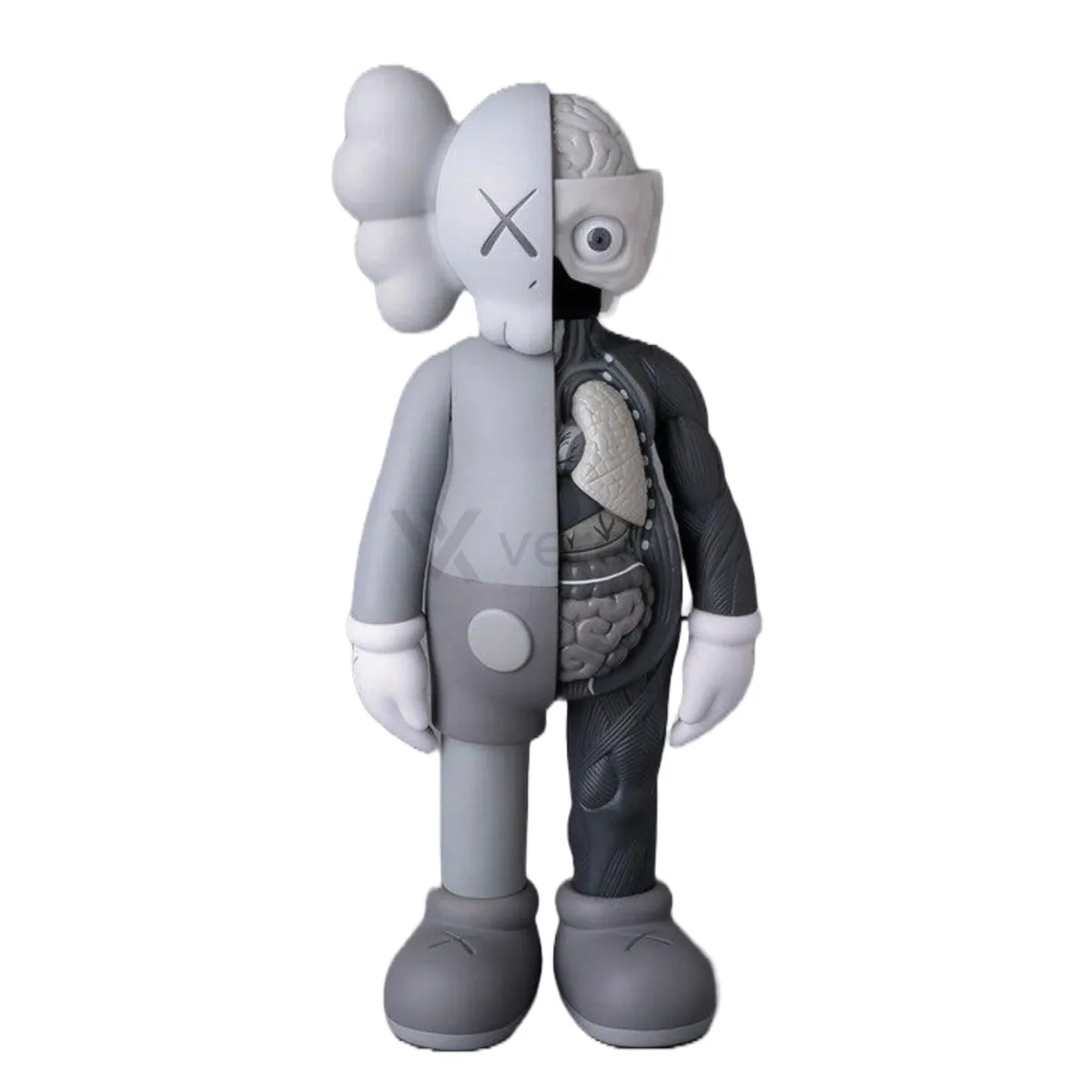
Step by step
The 3 photos to take
The app uses this guide for figures, art toys, cards, sealed goods and other collectible items. Its sample photos show a grey KAWS Companion figure, marked on its feet as a Medicom Toy open edition. Use the same angles for any brand, and keep the same item in every photo.
Full Appearance
Capture the full collectible and packaging so shape, color, and condition are visible.
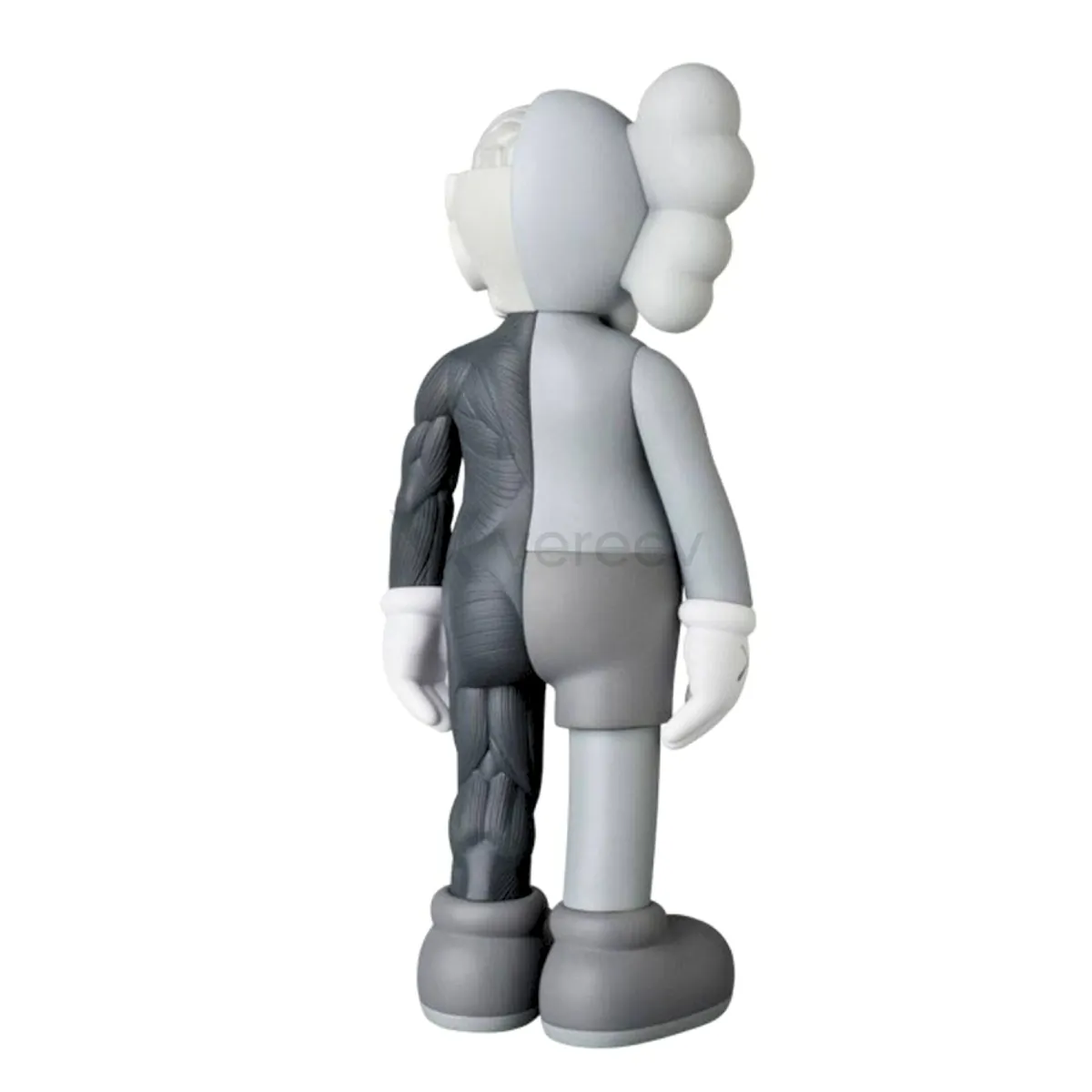
Detail
Show logos, marks, print quality, seams, paint, mold details, or material texture.
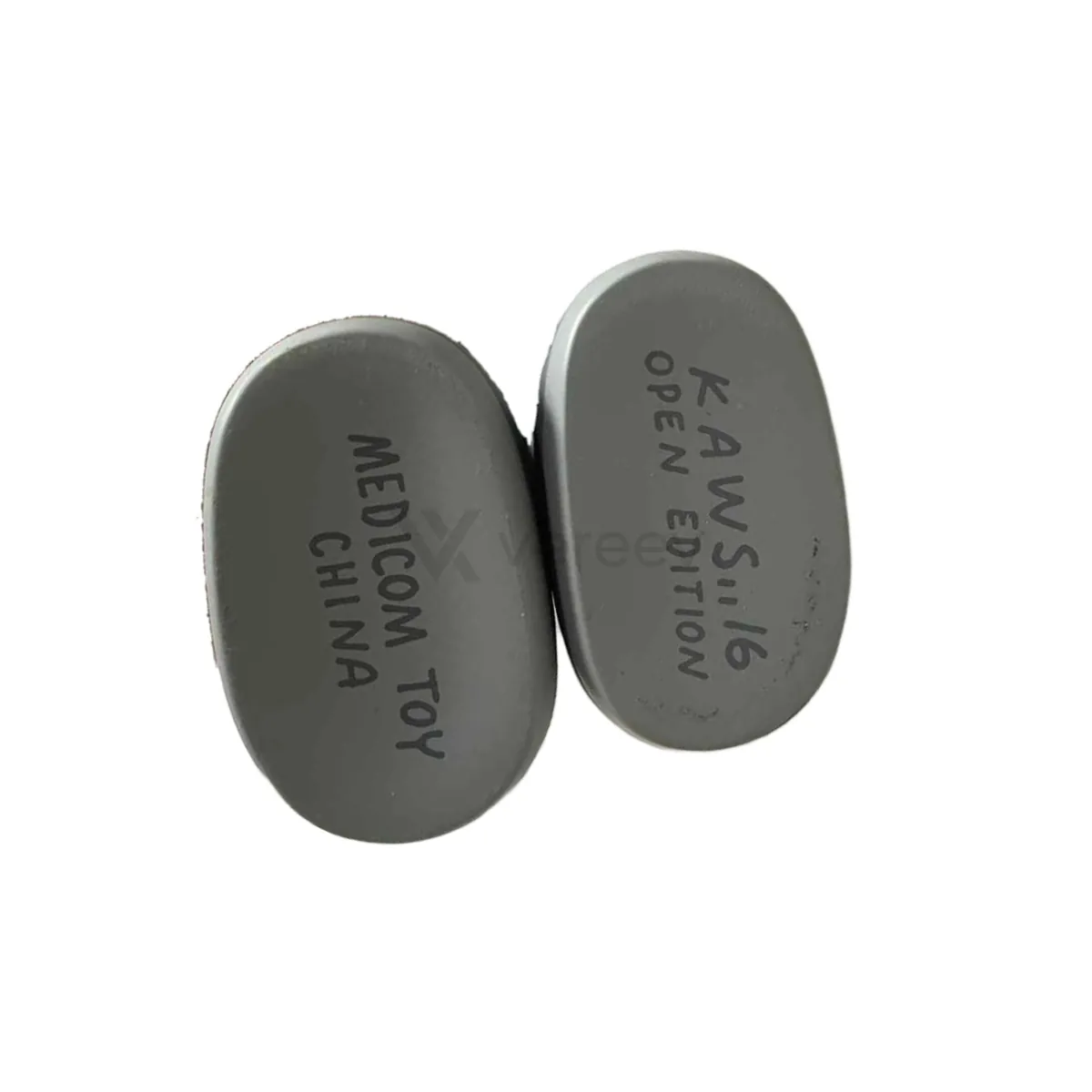
Extra Details
Include serials, accessories, certificate cards, barcode labels, or edition details.
Better evidence
Tips for collectibles
- Photograph the base or feet, where many figures carry the maker's marks and edition details.
- For a sealed item, photograph every side of the box, including seals, stickers and barcodes.
- Use a plain background, so paint and color are easy to compare.
Take these photos in the Vereev app
The Vereev app shows a sample photo for each angle when you submit collectibles. Follow the guide, submit the photos for review, and receive your result and digital certificate in Vereev.
FAQ
How many photos do I need to authenticate a collectible?
The Vereev app's collectibles guide lists 3 angles: the full item with its packaging, a detail close-up, and extra details such as serials or edition marks. If an item has several marks, photograph each one.
Does this guide work for sealed items?
Yes. The app uses it for figures, art toys, cards, sealed goods and other collectibles. For a sealed item, photograph the seals and every side of the box.
Should I open a sealed box to take the photos?
No. Photograph the sealed box from every side instead. Opening it is your decision, and it can change what the item is worth.
Continue your research